Webflow wins on design freedom, WordPress wins on plugins, and neither is the universal right answer. What actually matters is your workflow, your goals, and honestly, how much time you want to spend maintaining the thing. We're breaking this down for businesses right here in The Woodlands so you can make the call that fits.
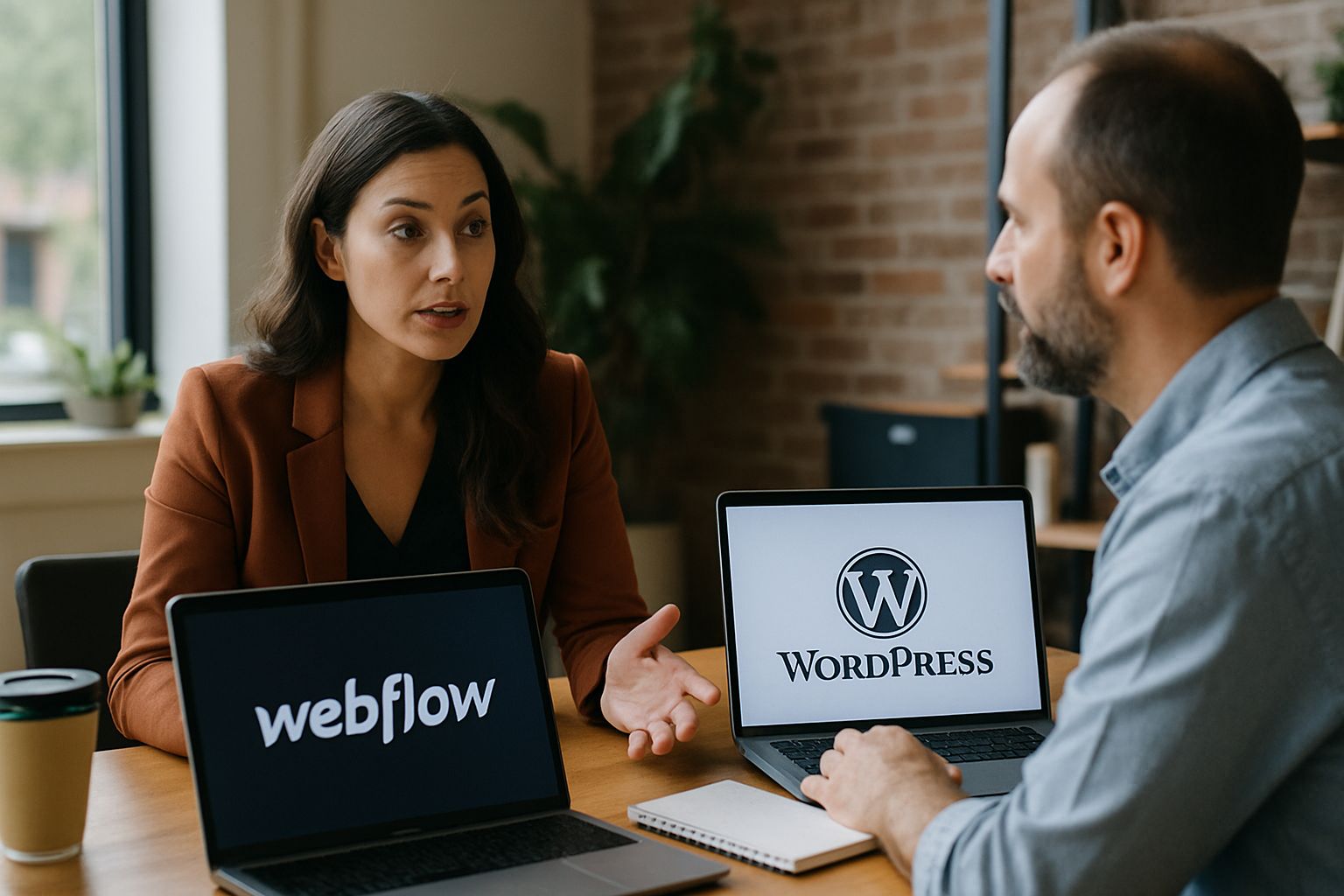
This decision trips up a lot of people. Both platforms have loud fans, both have real weaknesses, and the call is yours based on what you actually care about.
Webflow lets designers build without touching code, that's its whole thing. WordPress powers a massive chunk of the web, and over two decades it built a plugin ecosystem (Kinsta) that's pretty much impossible to beat on sheer volume.
Here's the thing nobody says out loud. The platform you pick shapes your entire workflow, not just launch day. We'll reach for Webflow when a brief calls for something visually distinct, something a pre-built theme could never pull off. But big blogs, news sites, businesses pumping out content every day, they tend to land on WordPress because the content tools run genuinely deep. Neither choice is wrong, just different tools for different jobs.
A Houston marketing firm running constant campaigns and third-party integrations probably lives happily inside WordPress, it fits how they work. And a portfolio artist in Spring who wants custom animations and a layout that reflects their personality? Webflow feels like a completely different universe (honestly, once you see what it can do, it's hard to go back).
Webflow gives you a visual canvas where what you build is what goes live, no theme wrestling required. WordPress leans on themes and plugins to shape how things look, so you're always working a layer removed from the actual output.
Webflow takes the crown here. You build complex layouts without writing a line of code, you control every spacing value, every animation, every structural detail. I've watched local retailers in The Woodlands use Webflow to build storefronts that actually match their brand, interactive and specific in ways no off-the-shelf theme could fake.
WordPress plays it differently. Pre-made themes get you far, sure, but real customization usually means calling in a developer, and that adds cost and time. The tradeoff is the library itself. Thousands of themes, thousands of plugins, a professional-looking site without building from zero. That matters for plenty of businesses, especially the ones that need to move fast.
Sound familiar? We see this tension constantly with local service businesses. One startup needed a site live before a product launch, so WordPress let them grab a theme, stack a couple plugins, and ship in days. Webflow would've taken longer to get right. But the Webflow version would have looked like it was made on purpose. Your deadline and your priorities decide it.
Not complicated. Just consistent.
Webflow's interface clicks pretty fast for most people because you're just moving and styling things directly. WordPress has a learning curve that steepens quickly once plugins and theme files enter the picture, and for someone just starting out, that can get overwhelming.
Here's the thing nobody says out loud: "drag-and-drop" sounds simple until you're three plugins deep in a WordPress install wondering why your header broke. Webflow keeps everything in one place. You style it, you see it, done. Changes appear in real time, fewer surprises when you hit publish, no second-guessing what the live site actually looks like. A real estate agent in Spring can build a clean property showcase without touching a single line of code, no developer on retainer, no waiting around.
WordPress is a different animal. Plugins and themes hand you real power, but they also hand you homework, and beginners hit walls fast. Finding the right combination of tools for your specific setup can eat up days. But once it clicks, the flexibility is genuinely impressive, especially for content-heavy sites that need constant updates.
Sound familiar? A bakery in Conroe updating their own menu, swapping photos, tweaking a promo, all without calling us first. That's realistic in Webflow for a small business owner who has about twenty minutes and zero patience for a dashboard that fights back.
WordPress has thousands of plugins and you can customize almost anything if you're willing to hunt for the right one. Webflow handles customization inside its Designer tool, so you're not managing a stack of third-party add-ons to get the same result.

WordPress wins on raw volume, no argument there. Over 58,000 plugins means you can bolt on pretty much any functionality you can imagine. SEO tools, booking systems, e-commerce, social feeds. A restaurant in Conroe could handle online reservations and rotating menus through plugins alone, the ecosystem is massive and that genuinely matters for certain projects.
Webflow takes a completely different approach. Its Designer tool builds interactions and animations natively (and we see how much that matters once a client tries to add scroll effects through a WordPress plugin that breaks on mobile). It won't match WordPress on sheer plugin count. Honestly, that's fine. Most design-focused projects don't need 58,000 options, they need the right ones working cleanly, every time.
An online magazine in The Woodlands that wants scroll animations and layered content layouts? Webflow handles all of that without a single third-party add-on. The result looks deliberate because it was built that way, not assembled from parts hoping they'd cooperate.
Both platforms cover the SEO fundamentals well, but Webflow outputs cleaner code and handles sitemaps automatically, which gives it a small but real edge in performance-related rankings.
Every site lives or dies by SEO, and both platforms know it. Webflow writes clean, semantic code and spits out sitemaps on its own, which is pretty much exactly what search engines want when they crawl your pages. Editing meta tags and alt text? You do it right there in the visual editor. So a Houston business can climb the rankings inside Webflow without hiring an SEO consultant or stacking up plugins.
That's the whole game.
WordPress runs its SEO through plugins, Yoast being the big one, and you get keyword tools, readability scores, structured data controls. Those tools work. But they want setup, they want maintenance, and if you're new to WordPress that configuration can feel like a second job. And when a plugin breaks or fights with another one, you might not catch it until your rankings have already slipped (which is the worst time to notice).
Say you run a tech blog in Spring that lives on search traffic. Those WordPress plugins let you tune your content and target keywords with real precision, and set up right, that drives serious traffic. The time you sink into it pays off. Only if somebody actually commits to doing it correctly, though.
Webflow sites tend to load fast out of the box because the hosting and code are optimized together. WordPress can absolutely match that speed, but you'll need the right caching and optimization plugins in place, and that takes some work.
Webflow sites load fast. The hosting is built for speed, and the code it generates doesn't drag around the extra weight you get from piling on plugin after plugin. For a boutique in The Woodlands, that speed shows up where it actually matters, your conversion rate. Fast pages keep shoppers heading toward checkout instead of bouncing to a competitor that's two clicks away.
WordPress sites can drag if you're not paying attention. That plugin-heavy setup that makes WordPress so flexible? It's the same thing that bloats your load times when nobody's managing it. But a WordPress site can fly with the right pieces in place: caching, image compression, a solid CDN. It takes effort, and honestly, most site owners skip it. The ones who don't end up with a platform that's flexible and quick.
Picture a health and wellness blog in Houston pulling thousands of visitors a day. Add caching plugins and a CDN to that WordPress build and your load times turn competitive fast, so readers stick around instead of leaving before the first paragraph even renders.
Webflow bakes security in at the platform level, so there's less you need to bolt on. WordPress security depends heavily on which plugins you're running and whether you're keeping everything updated.
Security never stops being a worry, and it shouldn't. Webflow ships with SSL certificates and handles updates on its end, so you get a baseline of protection without lifting a finger. For small businesses in The Woodlands, that matters. Not everyone has a developer on call to patch holes, and Webflow's default coverage means you don't need one.
Locking down a WordPress site takes real work. Security plugins help, sure, but somebody has to configure them, keep them current, and actually notice when something flags. Let that slip and you're exposed. If you've got dedicated technical staff, that's manageable, but for security that doesn't need babysitting every week, Webflow is honestly the easier call. WordPress can get there. It just doesn't show up that way out of the box.
Picture a financial consultancy in Conroe sitting on sensitive client data. They don't have time for that monitoring cycle, and Webflow handles the security layer by default. That's a real operational difference, not a sales pitch.
Webflow pricing is straightforward. Pick a tier, you know what's included, your monthly cost stays predictable. No surprise invoices from a host, no premium plugin renewals quietly slipping past accounting. For a Houston startup watching every dollar early on, that clarity is worth a lot.
WordPress costs nothing to install.
Running it costs real money, though. Hosting, premium themes, the plugins you actually need, it all adds up faster than people expect, and those costs compound as the site grows. A tech-savvy team willing to manage the platform themselves can keep things cheap, that's a legitimate path. But it fully depends on how much technical overhead you want to own.
A nonprofit in Spring could start with WordPress, lean on free themes, build something functional on a tight budget. Then as the organization grows, paid tools get layered in and costs scale with actual need. For some groups that flexible model fits better than a fixed monthly plan (and there's no shame in letting budget drive the call). We see both approaches work, depending on who's running the show.
WordPress has one of the largest developer communities on the internet, which means answers to almost any problem are a search away. Webflow's community is smaller but growing fast, and their official support is genuinely responsive.

The WordPress community is enormous. Forums, YouTube walkthroughs, Reddit threads posted at midnight by someone who hit the exact wall you're hitting right now. Sound familiar? Run into a problem and odds are someone already solved it and wrote it up somewhere. That's a real edge for people who like figuring things out solo, and a developer in Conroe can usually fix a WordPress issue without ever opening a support ticket.
Here's the thing nobody says out loud: a bigger community doesn't always mean better answers. Webflow's support is more direct, their team actually responds to tickets. Webflow University covers the common stuff in tutorials that are specific and genuinely useful instead of just long, and for designers in Spring who want a clear answer without wading through dozens of forum threads, that tradeoff makes sense. Smaller pool, less noise.
We see this constantly with local service businesses. A small business owner in The Woodlands hits a technical snag on their Webflow site mid-afternoon, contacts support, gets a real response, and it's fixed before a single customer notices anything went sideways. That kind of consistency is hard to pull from a community forum, no matter how big the forum is.
WordPress connects with nearly everything through its plugin ecosystem, and if an integration exists, someone's probably built it. Webflow handles integrations through native features and tools like Zapier, which covers most use cases cleanly.
WordPress leads on raw integration numbers, no question. Its plugin library covers CRMs, payment gateways, social feeds, inventory management, loyalty schemes, pretty much any connection your business runs on. That flexibility matters a lot for larger operations juggling multiple platforms that have to talk to each other.
Webflow goes a different direction. Direct integrations for tools like Google Analytics and Zapier come baked in, and setup is straightforward, no hunting for the right plugin version, no sweating compatibility after a core update. We've watched clients connect their email platform and walk away the same afternoon, configuration untouched for years. It just works.
Here's the thing nobody says out loud.
WordPress is genuinely built for content at scale. Blogs, news outlets, sites publishing constantly, the CMS handles categories, tags, custom post types, editorial workflows, bulk edits without breaking a sweat. Businesses where content is the whole operation tend to land here, and honestly, it makes sense.
Webflow's CMS is simpler, and that's not a criticism. For a site not pumping out dozens of articles a week, simpler wins. The interface doesn't require training, updates feel intuitive, and accidentally wrecking something is pretty hard to do. Our clients who prioritize how a site looks and feels over raw publishing volume do well with it, content stays current without anyone needing to become a platform expert.
A small art gallery in The Woodlands updating exhibition pages every few weeks (swapping images, refreshing descriptions) gets everything they need from Webflow's CMS. No technical background required. The site looks exactly right, every time.
WordPress scales well, largely because the plugin library grows with you. A local e-commerce shop in The Woodlands can launch lean and layer in advanced analytics, customer reviews, and loyalty features over time, no full rebuild required. That staged approach works for a lot of growing businesses.
Webflow scales differently. Fewer plugins, yes, but clean code and efficient hosting mean the site doesn't buckle under heavier traffic, and you're not reconfiguring everything every time the business hits a new growth phase. Sound familiar? We see this constantly with service businesses in the area who outgrow a patched-together WordPress setup right when momentum is building. Webflow avoids that particular headache from the start.
Consider a tech startup in Houston launching with a basic product showcase on Webflow. Six months later, they add e-commerce. Then content. Then integrations with their CRM and analytics systems. The site accommodates all changes without degrading performance or breaking design. That's the benefit of a solid architectural foundation.
Both platforms produce responsive sites, but Webflow lets you fine-tune the mobile layout element by element without touching CSS files directly, and that level of control matters when you care about how things actually look on a phone.

Mobile-first is now standard. Webflow grants precise control over each element's behavior on various screen sizes. You can tweak spacing, font sizes, and layouts for desktop, tablet, and mobile independently, not restricted by a theme's limitations. A Houston café could use that control to craft a mobile site that presents their menu clearly and makes their location easy to find, converting phone searches to foot traffic.
WordPress handles mobile responsiveness as well, primarily through responsive themes and plugins. It's effective. However, achieving the same granular control Webflow provides often involves additional customization, extra testing, and occasionally some unplanned CSS. The correct theme and plugin combination can achieve this, but it requires more effort to meet Webflow's standards.
This part trips people up.
Envision an online clothing retailer in Spring needing an easy shopping experience across all devices. With Webflow, they can tailor the mobile layout for obvious navigation and visually appealing product images on a 6-inch screen. It's not trivial. Shoppers encountering an unwieldy mobile layout leave, and they don't return.
For designers who want precise visual control without writing code, Webflow is genuinely the stronger tool. You're building the real thing, not configuring a template.
Webflow's visual design interface help designers to bring their vision to life without coding hurdles. No theme dictates what's possible. For those who deeply care about a site's look and function, that autonomy transforms the process. They aren't compromising to fit a template, but building their vision from scratch.
Beginners often grasp Webflow faster since changes are shown live on a drag-and-drop interface. Nothing remains hidden. Mastering WordPress takes longer, especially as plugins and theme settings accumulate. However, once someone becomes adept with WordPress, the flexibility it offers is truly impressive. It rewards the effort invested in learning it.
WordPress isn't fully flexible because your design lives inside a theme's structure, and breaking out of that usually means custom development. Webflow removes that constraint by design.
WordPress supplies real customization options via themes and plugins. Yet matching Webflow's design freedom often requires coding or adding extra tools not initially part of the plan. For anyone prioritizing design and visual precision, Webflow delivers faster with less resistance.
Yes, Webflow handles security at the infrastructure level, so you're not dependent on a plugin to keep things locked down the way you are with WordPress.
SSL certificates get managed automatically. Updates happen without you thinking about them, and nothing slips because you forgot to renew a license. WordPress puts all of that on you, security plugins, patch schedules, the quiet anxiety of hoping nothing breaks overnight. For a business in The Woodlands or Houston without a dedicated dev team, that's a real cost in time and stress. Honestly, it's one most owners don't budget for until something already went wrong.
WordPress looks cheap on day one. That's the trap.
Then you need a premium theme, a form plugin, a backup solution, managed hosting that doesn't crawl, and suddenly a Spring or Conroe business owner is paying more than they expected and still fielding maintenance requests. We see this constantly with local service businesses. Webflow quotes you a number, that number stays the number, and you're not logging in every Tuesday to approve updates you don't understand. We tell clients to map out their true WordPress costs before assuming it's the budget move, because the math usually surprises them (and not in a good way).
We've worked with retail shops, service companies, and professional firms across the Houston area who made the switch and found their monthly costs got a lot more predictable. Sound familiar? If you want to talk through what the real numbers look like for your shop, let's talk about your project.
LATEST POSTS